




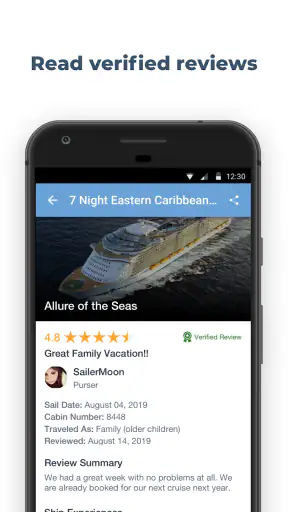
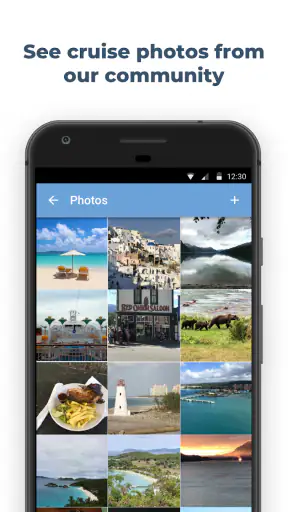
Planning a cruise can feel surprisingly fragmented. The cruise line handles the booking, a port website lists excursions, a map shows where the ship is going, and your inbox holds the confirmation details. Shipmate - Cruise Tracker brings several of those planning tasks into one travel app, with cruise tracking, deal browsing, price alerts, reviews, excursion information, and countdowns in the same place. I found it most useful as a companion for organizing a trip rather than as a replacement for the cruise line’s own app.
Shipmate is a free Travel & Local app from Cruiseline.com, aimed at people who want a clearer view of their sailing before departure and while preparing for it. It has been available since January 28, 2011, and its current version is 4.30.14 for devices running iOS or Android 12 and later. The app is rated for Teen users, which is worth remembering if you are setting it up on a family device.
The scale of its audience is reassuring: it has passed a million installs, with a 4.7 average from around thirteen thousand ratings and roughly 3.9 thousand written reviews. Those figures suggest that it is more than a small experiment, but popularity does not remove the need to check details carefully. Cruise schedules, prices, port information, and booking records can change, so I treat the app as a useful planning layer and verify final arrangements with the relevant provider.
Where cruise planning usually gets stuck
The first difficulty is often not a broken screen. It is knowing which information belongs in Shipmate and which information must remain with the cruise line. A traveler may expect one search to recognize every booking detail automatically, while a tracker may need the ship, sailing, or itinerary entered in a particular way. If the result looks wrong, the problem can be a mismatch between the selected sailing and the reservation rather than a failure of the whole app.
I recommend starting with the basic itinerary information in front of you: ship name, departure date, embarkation port, and the names of the ports on the route. Entering a sailing from memory is an easy way to attach a countdown or tracking view to the wrong trip. This is especially important when the same ship has consecutive sailings or visits the same port on several dates.
Another common sticking point is expecting deal information and personal booking information to behave the same way. A public deal can help you compare possibilities, while a confirmed reservation is a private travel record managed by the cruise company. Shipmate is valuable for exploring and organizing, but I would not use a general deal page as proof that my own fare, cabin, dining time, transfer, or excursion is confirmed.
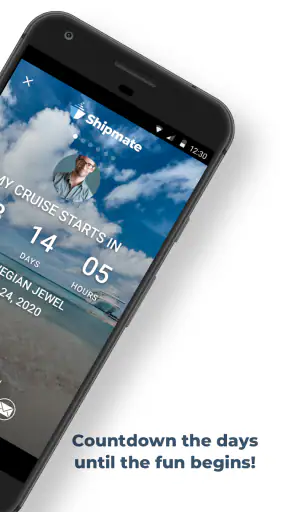
The countdown is a good example of a feature that looks simple but depends on correct setup. A countdown only helps when it points to the right departure and uses the time context sensibly. If it appears surprising, I first check the selected sailing and the phone’s date and time settings before assuming the app is malfunctioning.
Reviews can also create confusion if they are read as universal promises. A passenger’s experience with an excursion, port, or ship may be useful for spotting practical questions, but it cannot guarantee the same weather, crowd level, schedule, or service on my trip. I use reviews to build a checklist, not to skip checking the current excursion description.
What I check before relying on a countdown
My preferred setup is deliberately slow. I identify the exact sailing, confirm the embarkation location, and then look at the itinerary as a sequence rather than jumping straight to the countdown. This catches mistakes that can remain invisible when the only thing on screen is a large number of days remaining.
Match the ship and departure date with the booking confirmation.
Check that the embarkation port is the one you will actually travel to.
Review each listed destination instead of assuming the route is unchanged.
Use the countdown as a reminder, not as the only source of departure information.
Keep the cruise line’s confirmation available for reservation-specific details.
This workflow is one of the app’s quiet strengths. It turns the excitement of watching a trip approach into a practical review of the itinerary. It also reduces the risk of spending time researching an excursion for the wrong port or saving a deal for a sailing that does not match the trip I booked.
Setup checks that prevent avoidable frustration
Because the app works with travel information that can change, I would not judge it after the first screen alone. I give it a short setup pass and look for whether the selected cruise, ports, and dates make sense together. If the app asks me to choose between similar results, I slow down instead of selecting the first familiar ship name.
Device compatibility is another practical checkpoint. The listed minimum operating system is version 12, so an older phone may be the real reason installation or updating is unavailable. On a compatible device, I still make sure the app itself is updated before troubleshooting a display or tracking issue. A stale installation can make it harder to tell whether a problem is temporary or local to the phone.
I also make room for ordinary travel conditions. A cruise traveler may be moving between home Wi-Fi, airport networks, hotel connections, and onboard connectivity. A page that loads slowly or fails to refresh may be affected by the connection rather than by the itinerary itself. I try again on a stable network and avoid making an important planning decision from a partially loaded screen.
For alerts, I check the phone’s notification settings and the app’s own alert controls if available. Price alerts are useful only when they can actually reach me, and a silent or restricted notification setting can make a working alert appear broken. I also avoid creating too many overlapping reminders, because several similar notices can make it difficult to identify which sailing or deal I was tracking.
One useful habit is to keep a simple note outside the app with the booking reference and the essential travel details. I do not use that note as a substitute for secure booking management, but it gives me something to compare when Shipmate shows an itinerary or deal. This makes troubleshooting much faster than trying to remember every detail from memory.
Using deals, alerts, and reviews without mixing their roles
I see the deal area as a discovery tool. It is good for noticing that a route, ship, or sailing deserves a closer look, especially when I am still flexible. Once I am considering a purchase, I compare the offer’s conditions, sailing date, cabin details, and inclusions with the actual booking channel. The cheapest-looking figure is not automatically the best overall value if important extras or restrictions differ.
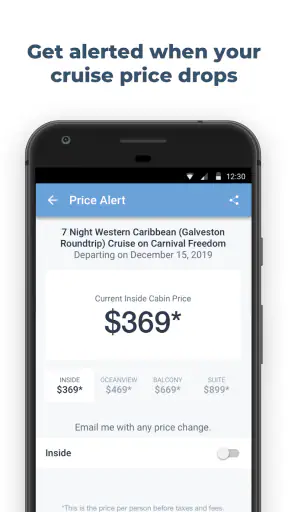
Price alerts work best when I define what I am watching before turning them on. If I am flexible about dates, ship, or cabin type, an alert can broaden my search. If I have already committed to one exact sailing, a general alert may create noise rather than help. I prefer one focused alert for a real decision and then remove it when that decision is finished.
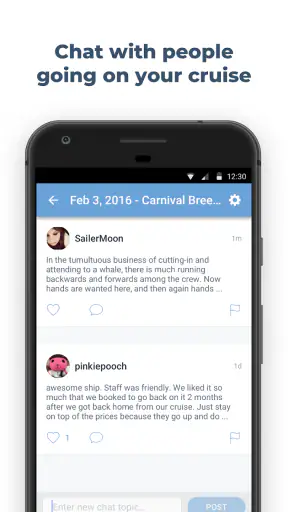
Reviews are most useful when I search for operational details. I look for comments about walking distances, timing, suitability for a particular pace, and what travelers wished they had known. I pay less attention to absolute statements such as “always” or “never,” because cruise experiences vary with weather, staffing, itinerary changes, and personal expectations.
The trade-off is convenience versus certainty. Shipmate can make research feel less scattered, but the more sources I combine, the more carefully I need to compare dates and conditions. The app saves time when I use it to narrow choices; it can cost time if I assume every displayed item is already synchronized with my private reservation.
Recovering when the workflow breaks
When something does not look right, I avoid repeatedly tapping the same control. First I note what failed: was the issue installation, opening the app, finding a sailing, refreshing information, receiving an alert, or understanding a review? Each symptom points to a different check, and separating them prevents a minor network delay from turning into a complete reset.
If a sailing is missing, I return to the search details and try the ship, date, and departure port again. I compare the result with the confirmation rather than searching only by a shortened ship name. If several sailings appear, I inspect the date and route before saving anything. This is a safer recovery than deleting the app immediately, because reinstalling will not correct an incorrectly selected itinerary.
If information appears outdated, I try a fresh refresh on a reliable connection and then compare it with the cruise line’s current communication. A port change, excursion adjustment, or schedule revision may happen outside the app’s control. In that situation, the correct response is to follow the latest official instruction and use Shipmate for background planning until the displayed information catches up.
If an alert does not arrive, I check whether notifications are allowed, whether the phone is restricting background activity, and whether the alert is still attached to the intended sailing or deal. I also consider timing: an alert system is not a guarantee that every price movement or itinerary change will appear instantly. For an important deadline, I set a separate calendar reminder and keep the official confirmation accessible.
For a frozen screen or repeated loading problem, I close and reopen the app, test another connection, and restart the phone if necessary. I make sure the operating system meets the minimum requirement and that there is enough free storage for normal updates. These are basic steps, but they solve a surprising number of travel-app problems without risking the loss of carefully organized information.
How I separate app trouble from travel trouble
Some apparent errors are really changes in the trip. A ship may alter its route, an excursion may sell out, a port may change operating arrangements, or a cruise line may publish a newer instruction. If the official channel and the app disagree, I do not assume the app is automatically wrong or automatically right. I compare timestamps and details, then use the newest authoritative instruction for anything involving departure, payment, boarding, or a reservation.
That distinction matters because the app’s strongest role is preparation. It can help me understand a ship, watch a sailing approach, compare possibilities, and read other travelers’ experiences. It is not the place I would rely on alone for a last-minute boarding decision. I keep the cruise line’s app, email, or booking page in my travel routine for final confirmation.
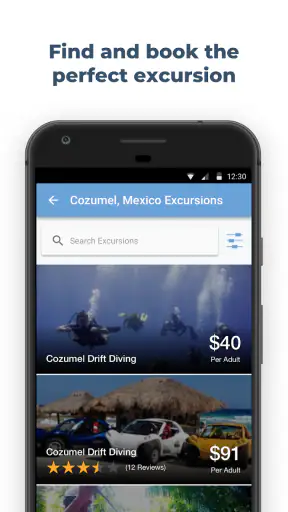
The same principle applies to excursion planning. A review might reveal that a tour involves more walking than its title suggests, while the current provider information should determine availability, meeting time, and cancellation conditions. I use both sources differently: personal reports for questions, current official details for commitments.
Who will get the most from Shipmate
I think Shipmate suits first-time cruisers who want help turning a vague holiday idea into a concrete plan. The combination of ship tracking, countdowns, deals, reviews, and excursion research gives beginners several useful starting points without forcing them to open a separate tool for every question.
It is also a good fit for repeat cruisers who enjoy comparing sailings. A person who regularly watches prices or researches ports can use the app as a lightweight planning desk. The free price makes experimentation easy, and the established audience gives the product a level of familiarity that a brand-new tracker would not have.
Families may appreciate having itinerary research and countdown planning in one place, but I would still check every excursion against the needs of the group. A tour that sounds appealing to an active adult may not suit a child, an older traveler, or someone who needs predictable access and shorter walking distances. The app helps surface options; it cannot make that personal judgment for me.
It is less suitable for someone who wants only official booking management. If my main need is changing a cabin, checking onboard charges, completing required documents, or receiving direct cruise-line instructions, the cruise company’s own app is usually the better primary tool. Shipmate becomes more useful around that tool, not necessarily instead of it.
I would also skip it as a main resource if I dislike comparing information across sources. Its value comes from combining discovery with personal verification. Travelers who want one definitive, fully synchronized record may find that extra checking inconvenient, especially close to departure.
How it compares with ordinary travel alternatives
A general travel app may handle flights, hotels, maps, and reservations across many kinds of trips, but it usually does not focus as closely on cruise-specific research. Shipmate’s advantage is concentration: the ship, sailing countdown, port stops, cruise deals, excursion ideas, and passenger reviews belong to the same planning context.
The cruise line’s own app has a different advantage. It is the natural place for official reservation information and onboard services connected to that company. Shipmate is more independent in spirit, making it better for comparing possibilities and reading broader traveler impressions. I would use the two together when preparing seriously for a sailing.
A spreadsheet or notes app can be more flexible for building a personal budget, packing list, or day-by-day schedule. It will not automatically provide the cruise-oriented discovery experience that makes Shipmate appealing. My practical combination is to use Shipmate for finding and evaluating options, then keep confirmed booking facts and personal tasks in a simple checklist I control.
Web searches remain useful when I need a very specific current policy or port instruction. The app is faster for keeping cruise research together, while a browser is often better for checking the latest official wording. Neither approach eliminates the need to verify time-sensitive information.
My practical verdict after using it as a planning companion
Shipmate is strongest when you use it as a cruise research and monitoring companion, not as the sole authority for your reservation. I like the way it connects the emotional part of planning, such as watching a countdown, with practical work, such as comparing deals, reading excursion experiences, and understanding a ship or itinerary.
Its main friction is the same thing that makes it useful: there are several kinds of information in one place, and they do not all carry the same level of authority. A deal is not a booking, a review is not a current policy, and a tracker is not a boarding pass. Once I keep those distinctions clear, the app becomes much easier to use responsibly.
My recommended routine is simple. Set up the exact sailing carefully, review the itinerary, use alerts selectively, read reviews for questions rather than guarantees, and confirm final decisions through the cruise line or relevant provider. If a feature seems stuck, check the connection, device requirements, notification settings, and selected sailing before assuming the service has failed.
For a free travel app with a 4.7 average and over a million installs, Shipmate offers a convincing amount of cruise-focused value. I would recommend it to anyone researching a cruise, comparing possible sailings, or wanting a more engaging way to follow an upcoming trip. I would not recommend replacing official booking channels with it, but as a second set of planning tools, it earns a place on my phone.


